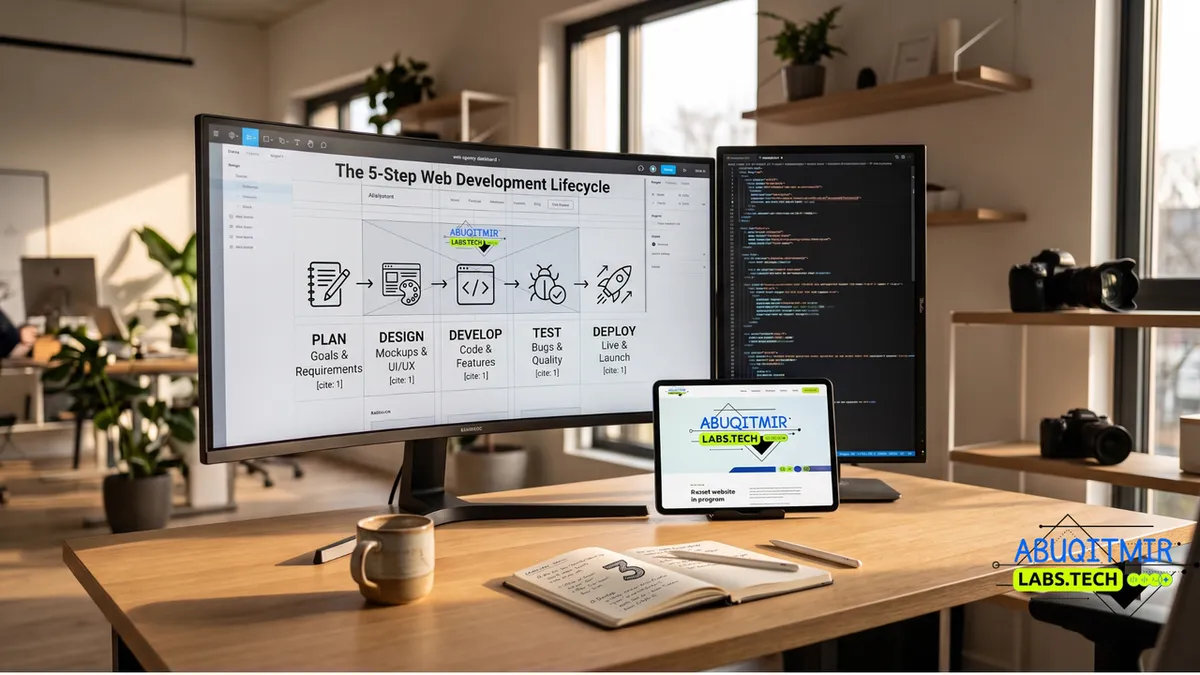
Summary Box
🌐 Summary: This guide breaks down the 5-step web development lifecycle that every professional website, landing page, or web application goes through in 2026 — from discovery and design to development, testing, and post-launch growth. AbuQitmirLabs builds custom websites and web applications for businesses across the US, UK, and Europe. Read time: approximately 11 minutes.
Table of Contents
- Introduction
- What Is the Web Development Lifecycle?
- Step 1 — Discovery & Strategy
- Step 2 — UI/UX Design & Prototyping
- Step 3 — Development & Engineering
- Step 4 — Testing, QA & Performance
- Step 5 — Launch, Maintenance & Growth
- Why Custom Web Development Outperforms Templates at Every Step
- Common Mistakes Businesses Make During Web Development
- How AbuQitmirLabs Runs the Web Development Lifecycle
- Web Development Lifecycle by Business Type
- Frequently Asked Questions
- Final Thoughts
Quote
"A website is not a design project with a technical phase at the end. It is an engineering project with a design phase near the beginning — and the difference shows up the moment real users arrive." — AbuQitmir Mohammad Shiraz Al-Madani
Key Highlights
- The web development lifecycle has 5 distinct phases — skipping any one of them is where most failed projects begin
- Discovery is the most undervalued phase and the one most agencies skip to move faster to billing
- UI/UX design is not decoration — it is the translation of business goals into user behavior
- Development quality is invisible until something breaks in production, which is why architecture decisions in Step 3 matter so much
- Testing is not a final checkbox — it is an ongoing discipline that runs parallel to development
- Launch is not the end of the project — it is the beginning of the growth phase
- Custom web development built around a business's actual goals outperforms templates at every stage of the lifecycle
Introduction
There is a particular kind of business owner who has been through one bad website project already. The agency that went quiet after the deposit cleared. The freelancer who delivered a result that looked nothing like the approved mockup. The "custom website" that turned out to be a WordPress template with a logo swap and a color change.
By the time they start researching how web development actually works, they are not looking for another vendor pitch. They are looking for a process they can understand, ask intelligent questions about, and hold someone accountable to when something goes wrong.
This guide is for that person. It covers the five phases every professional website or web application goes through — what happens in each one, what can go wrong, what good looks like, and what questions to ask any development partner before a single line of code gets written.
Understanding the web development lifecycle does not require a technical background. It requires knowing what a properly run project looks like — because once you know that, the shortcuts taken by underqualified vendors become obvious before the invoice is signed.
What Is the Web Development Lifecycle?
The web development lifecycle is the sequence of phases a web project moves through from the first client conversation to the post-launch growth period. It is sometimes called the SDLC (Software Development Lifecycle) when applied to web applications, or simply the web development process when applied to websites and landing pages.
What it is not is a straight line from "we told the developer what we want" to "the website is live." Every professional web project — regardless of size — passes through the same fundamental phases. What distinguishes a well-run project from a poorly run one is not the phases themselves but how rigorously each one is executed and how honestly the project moves from one to the next.
"Most failed website projects do not fail at launch. They fail in the first conversation, when the scope is agreed on without the discovery work that should have defined it."
Step 1 — Discovery & Strategy
What Happens in This Phase
Discovery is the phase where the project learns what it actually needs to be. It sounds obvious — of course a web project should start with understanding the goal. In practice, this is the phase most commonly skipped, abbreviated, or treated as a formality before the "real work" of design and development begins.
A properly executed discovery phase covers:
- Business goals — what the website or web application needs to achieve, measured in outcomes rather than features
- Target audience — who is going to use this and what they need to accomplish when they arrive
- Competitive landscape — what comparable websites in the space look like, where they succeed, and where they leave gaps
- Technical constraints — existing systems the website needs to integrate with, hosting requirements, compliance considerations
- Content inventory — what content exists, what needs to be created, and who is responsible for it
- Success metrics — how the project will be evaluated after launch, not just during development
What Goes Wrong Without It
When discovery is skipped, the project is scoped around assumptions. Those assumptions are usually wrong about at least one significant thing — the audience, the integration requirement, the content availability, or the technical constraint that only surfaces during development. That wrongness does not show up until it has already cost time and money to correct.
What to Ask Your Web Development Partner
Before signing any agreement, ask: "Walk me through your discovery process." An agency that cannot describe a structured discovery phase in specific terms is an agency that is going to build what they think you need rather than what your business actually requires.
Step 2 — UI/UX Design & Prototyping
What Happens in This Phase (Step 2 — UI/UX Design & Prototyping)
This is where the strategy defined in discovery becomes a visual and interactive reality — before a single line of code is written.
UI/UX design in a professional web development process includes:
- Information architecture — deciding how pages are organized, what content lives where, and how users move through the site
- Wireframes — low-fidelity layouts that map out structure and functionality without committing to visual style
- Visual design — typography, color, spacing, imagery, and component styling that translates the brand into a digital interface
- Interactive prototypes — clickable mockups that simulate the user experience before development begins, allowing real feedback on flow and feel
- Responsive design — designing explicitly for mobile, tablet, and desktop simultaneously, not adapting a desktop design to mobile as an afterthought
The Difference Between Design and Decoration
UI/UX design is frequently misunderstood as the phase where things are made to "look nice." This misunderstanding produces websites that are visually appealing and functionally ineffective — beautiful screens that confuse users, bury calls to action, and fail to convert visitors into customers or leads.
Professional web development treats design as the translation of business goals into user behavior. Every layout decision, every visual hierarchy choice, every button placement is made in service of what the website needs the user to do — not what looks impressive in a portfolio screenshot.
The Role of Graphics Design
Strong graphics design at this stage — custom illustrations, iconography, photography direction, and brand-consistent visual language — is what separates a website that feels generic from one that feels like it was built for a specific business with a specific identity. It is also the phase where the business's brand either gets translated faithfully into a digital environment or quietly diluted into something that could belong to any company in the industry.
What to Ask Your Web Development Partner (Step 2 — UI/UX Design & Prototyping)
Ask to see prototypes from previous projects — interactive, clickable prototypes, not static screenshots. An agency that delivers static mockups and calls them the design phase is skipping the part where user flow is validated before the expensive development phase begins.
Step 3 — Development & Engineering
What Happens in This Phase (Step 3 — Development & Engineering)
This is where the approved designs become a working product. For a business owner without a technical background, this phase often feels like a black box — the development team disappears for weeks and emerges with something to review. Understanding what should be happening inside that black box is how to distinguish good engineering from fast engineering that creates future problems.
Professional web development in 2026 involves:
- Frontend development — building the interfaces users see and interact with, using modern frameworks that produce fast, accessible, and maintainable code
- Backend development — building the server logic, database architecture, and API integrations that power the website's functionality
- CMS integration — setting up content management systems that allow non-technical staff to update content without developer involvement
- Third-party integrations — connecting the website to CRM systems, payment processors, analytics platforms, email tools, and any other services the business uses
- Performance optimization — building for speed from the start, not retrofitting performance improvements after launch
- Security architecture — implementing HTTPS, input validation, authentication systems, and data protection measures as foundational requirements, not afterthoughts
The Architecture Decision That Determines Everything
The most consequential decisions in web development are made before the first component is built: what framework to use, how the data is structured, how the codebase is organized, and how future features will be added without breaking existing functionality.
These decisions are invisible in a demo. They show up eighteen months after launch, when the business needs to add a new feature and discovers that the existing codebase cannot accommodate it without a significant rewrite — or when a security vulnerability surfaces in a dependency that a more maintainable codebase would have been able to patch in an afternoon.
What to Ask Your Web Development Partner (Step 3 — Development & Engineering)
Ask: "What framework are you building this in and why?" and "How will we be able to make changes to this after launch?" An agency that cannot answer the second question clearly is building something they expect to maintain forever on a retainer — not something the business actually owns.
Step 4 — Testing, QA & Performance
What Happens in This Phase (Step 4 — Testing, QA & Performance)
Testing is the phase most commonly treated as a final checkbox rather than an ongoing discipline. In a well-run web development project, testing runs parallel to development — not after it.
Comprehensive QA in 2026 covers:
- Functional testing — verifying that every feature works as intended across all intended use cases, including edge cases
- Cross-browser testing — confirming consistent behavior across Chrome, Firefox, Safari, and Edge on both desktop and mobile
- Responsive testing — verifying the design and functionality on multiple screen sizes and device types
- Performance testing — measuring page load times, Core Web Vitals scores, and behavior under traffic load
- Accessibility testing — confirming compliance with WCAG accessibility standards, which affects both user experience and legal compliance in many jurisdictions
- Security testing — penetration testing, vulnerability scanning, and authentication flow validation
- Integration testing — verifying that third-party integrations — payment processors, CRMs, analytics — behave correctly under real conditions
Why "Works on My Machine" Is Not a Testing Standard
The most common failure mode in web development QA is a team that tests only in the environment where the website was built — fast internet, a specific browser, a desktop screen, and a development server. Real users arrive on mobile devices, on slow connections, in browsers the development team did not consider, and with interaction patterns the team did not anticipate.
A properly tested website has been through every scenario a real user might generate — including the ones that are supposed to be impossible.
What to Ask Your Web Development Partner (Step 4 — Testing, QA & Performance)
Ask for a QA checklist before the project begins, not after development is complete. An agency that does not have a pre-existing testing protocol is building a checklist around whatever they happened to test on this particular project.
Step 5 — Launch, Maintenance & Growth
What Happens in This Phase (Step 5 — Launch, Maintenance & Growth)
Launch is the phase most businesses treat as the end of the project. In a properly structured web development engagement, it is the beginning of the project's operational life — and the point at which the decisions made in every previous phase begin producing measurable outcomes.
A professional launch process includes:
- Staged deployment — moving from development to staging to production in a controlled sequence, not a single "push everything live" moment
- DNS and hosting configuration — ensuring the technical infrastructure is correctly set up, with appropriate redundancy and monitoring
- Analytics implementation — verifying that tracking is correctly capturing user behavior data from the first visitor
- SEO baseline — confirming that the technical SEO foundation — sitemap, robots.txt, canonical tags, structured data — is correctly in place before launch
- Performance verification — running Core Web Vitals and load time checks against the live production environment, not the development server
- Backup and recovery setup — ensuring automated backups are running and recovery procedures are tested before they are needed
Post-Launch: Where the ROI Actually Comes From
The return on a web development investment does not arrive at launch — it compounds in the months and years after launch, driven by ongoing improvements informed by real user behavior data.
Post-launch growth activities include:
- Conversion rate optimization based on analytics and heatmap data
- Content updates and additions that improve organic search ranking
- A/B testing of key pages and calls to action
- Performance improvements as traffic grows
- Feature additions as the business evolves
A website that is treated as a finished product after launch will lose ground to competitors whose websites are treated as living products that improve continuously.
Why Custom Web Development Outperforms Templates at Every Step
The case for templates is simple: they are faster and cheaper upfront. For a business that needs a basic online presence with no specific functional requirements, a well-chosen template is a reasonable starting point.
The case against templates becomes clear when a business actually needs a website to perform — to convert visitors, to integrate with operational systems, to rank in search, to handle traffic load, to accommodate the business's specific content structure and brand identity.
| Lifecycle Phase | Template | Custom Web Development |
|---|---|---|
| Discovery | Not part of the process | Defines the architecture |
| UI/UX Design | Template chosen, customization limited | Designed around the business's goals |
| Development | Configuration within template constraints | Built to the business's exact requirements |
| Testing | Template vendor's testing, not yours | QA against your specific use cases |
| Post-Launch Growth | Limited by template structure | Adaptable to any direction the business takes |
A template is a starting point someone else designed for their imagined average client. Custom web development is a product built around the specific business it is meant to serve — and that difference compounds at every phase of the lifecycle.
Pay attention.
properly structured web development: If your last website project did not include a structured discovery phase, a prototype review, or a defined testing process — AbuQitmirLabs is happy to walk you through what a properly structured web development engagement looks like before the next one begins.
Common Mistakes Businesses Make During Web Development
- Skipping discovery to move faster. Every week saved by skipping discovery is typically paid back multiple times in scope changes, rework, and post-launch fixes once the assumptions discovery would have corrected surface in production.
- Approving designs without testing them. A static mockup is not a usability test. Approving a design before seeing it as a prototype — clickable, navigable, testable — means approving something that may behave differently in the hands of real users than it appeared in a PDF.
- Treating content as someone else's problem. Websites need content to function — copy, images, data. Projects that reach the development phase without finalized content routinely miss deadlines because developers are waiting for material that was assumed to be ready.
- Not defining success metrics before launch. A website that has no defined success criteria cannot be evaluated, improved, or justified for further investment. Success metrics should be defined in Step 1, not invented after launch when someone asks what the ROI has been.
- Choosing a vendor based on design portfolio alone. A beautiful portfolio demonstrates design skill. It says nothing about engineering quality, project management reliability, post-launch support, or the vendor's actual understanding of the client's business goals.
- Treating launch as the finish line. The businesses with the best-performing websites in any industry are the ones running continuous improvement programs post-launch — not the ones that launched something beautiful and left it unchanged for three years.
- Not asking about code ownership. Some vendors build on proprietary platforms or structures that make migrating to a different vendor prohibitively expensive. The business should own its own code and its own data. This should be confirmed before any agreement is signed.
How AbuQitmirLabs Runs the Web Development Lifecycle
Discovery Is Non-Negotiable
Every web development engagement at AbuQitmirLabs begins with a structured discovery phase — business goals, audience definition, technical requirements, content inventory, and integration mapping — before any design work begins. This phase is not billable time used to delay the "real work." It is the work that makes everything that follows coherent.
Design Built Around Behavior, Not Aesthetics
UI/UX design at AbuQitmirLabs is built around what the user needs to do and what the business needs to happen — not around what looks impressive in a portfolio. Every layout decision is traceable to a goal. Every visual hierarchy choice is defensible in terms of user behavior. Graphics design is integrated into the process as a brand translation discipline, not an add-on applied after the development is finished.
Engineering That the Business Actually Owns
Development is built on maintainable, documented code that the client owns outright. Architecture decisions are made for the business's five-year trajectory, not the development team's convenience. Integrations with CRM systems, analytics platforms, and the custom software infrastructure the business already runs are treated as core requirements, not project additions.
Testing as a Discipline, Not a Checkbox
QA runs parallel to development at AbuQitmirLabs — not as a final phase. Performance testing, cross-browser validation, accessibility review, and integration testing are built into the project schedule from the start, not scheduled for the last week before a deadline.
Post-Launch Growth Partnership
Launch is the beginning of an ongoing relationship, not the conclusion of a project. Post-launch analytics review, conversion rate optimization, content growth, and technical performance maintenance are structured parts of the engagement for clients who want a website that improves rather than depreciates over time.
Web Development Lifecycle by Business Type
Restaurants and Cafes — Discovery focuses on reservation flow, menu presentation, and local SEO. Design prioritizes atmosphere and mobile experience (most restaurant searches happen on phones). Development includes table booking integrations and Google Business Profile alignment. Post-launch focuses on local search ranking and review management.
Professional Services (Law, Finance, Healthcare) — Discovery focuses on trust signals, compliance requirements, and lead generation. Design emphasizes credibility and clarity over creativity. Development includes contact form flows, document handling, and CRM integration. Post-launch focuses on content marketing and organic search growth.
E-commerce — Discovery maps the full customer journey from search to post-purchase. Design balances conversion optimization with brand presentation. Development covers payment processing, inventory management, and logistics integrations. Post-launch focuses on conversion rate optimization and performance under traffic load.
SaaS and Technology — Discovery focuses on user onboarding flow, feature communication, and trial or demo conversion. Design must communicate complex value propositions clearly. Development includes authentication, billing integrations, and product-to-marketing-site alignment. Post-launch focuses on A/B testing and funnel optimization.
Enterprise and B2B — Discovery involves multiple stakeholders and complex requirements. Design must serve multiple audience types simultaneously. Development prioritizes integration with existing enterprise systems. Post-launch focuses on lead quality, account-based targeting, and content authority.
Frequently Asked Questions
What is the web development lifecycle? (Frequently Asked Questions)
The web development lifecycle is the sequence of phases a website or web application moves through from initial planning to post-launch growth — typically: Discovery, UI/UX Design, Development, Testing, and Launch & Maintenance.
How long does the web development lifecycle take?
Timelines vary significantly by project complexity. A professional landing page or brochure site typically takes four to eight weeks through a complete lifecycle. A web application with custom functionality, integrations, and a CMS can take three to six months. Enterprise web platforms with complex backend requirements can take longer.
What is the most important phase of the web development lifecycle?
Discovery. Every other phase is shaped by the decisions made in discovery — and every significant failure in a web development project can be traced back to an assumption made in the absence of proper discovery.
Why does custom web development cost more than a template?
Custom development requires work at every phase of the lifecycle that template-based development skips. The cost difference reflects the discovery, design, and engineering work that produces a website built around the business's actual goals rather than an average client's assumed needs.
What should I own after a web development project is complete?
The business should own the source code, the hosting environment, the domain, the content management system, and all associated accounts. Any vendor that retains ownership of any of these elements is creating a dependency that benefits them, not the client.
How do I know if my web development partner is following the lifecycle properly?
Ask for a project plan that shows all five phases with defined deliverables for each. Ask what happens at the end of each phase — what gets reviewed, what gets approved, and what triggers the move to the next phase. A vendor that cannot describe this process in specific terms is not running it.
What is the difference between web development and web design?
Web design refers specifically to the visual and UX design phase. Web development refers to the full lifecycle — including design, but also strategy, engineering, testing, and post-launch operations. A web development partner handles the full lifecycle; a web designer handles one phase of it.
When should a business consider a web application instead of a website?
When the business needs users to do something more complex than read and contact — account management, data entry, transactional flows, personalized content, or multi-user collaboration — a web application is more appropriate than a website.
Final Thoughts
The businesses with the best-performing websites in any industry are almost never the ones that paid the most or hired the largest agency. They are the ones that understood the process well enough to ask the right questions, choose the right partner, and stay engaged through every phase rather than handing the project over and hoping for the best.
The web development lifecycle is not a technical concept that requires a technical background to understand. It is a project management framework that requires only the willingness to hold a development partner accountable to a defined process — and to understand why each phase exists before agreeing to skip it in the interest of moving faster.
That is the standard AbuQitmirLabs builds toward — not a website that looks impressive at launch, but a digital product that performs measurably better six months after launch than it did on day one.
Pay attention. (Part 2)
full business website: Whether the need is a high-converting landing page, a full business website, or a custom web application built around your operational systems — visit AbuQitmirLabs to start with a discovery conversation that will shape everything that follows.