How to Build a Content Calendar That Gets Followed
Quick Takeaways
- Most content calendars fail because they are built on unrealistic expectations and lack of clear ownership, not because of a lack of tools.
- A successful calendar requires a system: defining content pillars, setting a realistic cadence, and assigning clear owners.
- You do not need expensive software. A shared Google Sheet or a simple Notion board is usually sufficient.
- Build a content backlog to prevent last-minute scrambling and quality drops.
- AbuQitmirLabs builds sustainable content engines for B2B companies through our content writing services.
Introduction: The Graveyard of Abandoned Calendars
You spend hours building a beautiful, color-coded content calendar. You map out three months of blog posts, social media graphics, and email newsletters. You feel organized. You feel productive.
Three weeks later, the calendar is empty. You missed a week because a client emergency came up. You missed another week because the writer quit. Now, you are scrambling to publish anything just to keep the lights on.
This is the reality for most founders. They treat the content calendar as a wishlist, not a production schedule.
If you want a calendar that actually gets followed, you need to build a system, not just a spreadsheet. Here is the exact step-by-step strategy we use at AbuQitmirLabs to build content engines that run on autopilot.
Why Most Content Calendars Fail
Direct Answer: Most content calendars fail because they are disconnected from actual production capacity. They map out 20 posts a month without considering who is writing them, how long it takes to brief a writer, or how long design assets take to create.
The mistake is planning based on desire rather than capacity. You want to publish three times a week. But if you are a solo founder with no dedicated team, that desire will break under pressure.
A calendar must account for the entire production cycle: ideation, research, drafting, editing, design, and publishing.
The 6-Step Content Calendar Strategy
Here is the Go-To Guidebook process for building a calendar your team can actually execute.
Step 1: Define Your Content Pillars
Direct Answer: Content pillars are the 3 to 5 core themes your brand focuses on. They ensure your content is varied but consistent, rather than random.
Why it matters: If you write about anything and everything, your audience will not know what to expect. Pillars create topical authority. If you are a SaaS company, your pillars might be: Product Updates, Industry Trends, and Engineering Deep Dives.
Action: Define 3 to 5 pillars. Every piece of content must fit into one of these pillars. If it doesn't, do not publish it. If you are struggling to balance SEO content with brand building, read our guide on SEO Content vs Thought Leadership to map your pillars correctly.
Step 2: Set a Realistic Publishing Cadence
Direct Answer: A publishing cadence is the frequency at which you publish content. A realistic cadence is usually 1 to 2 high-quality pieces per week, rather than 5 mediocre ones.
Why it matters: Consistency beats volume. It is better to publish one excellent, 2,000-word article every Tuesday than to publish three rushed, 500-word posts sporadically.
Action: Start small. Commit to 1 blog post and 3 social media posts per week. Once that becomes a habit, you can scale up. For design assets, ensure your graphics design process can handle the workload without bottlenecks.
Step 3: Assign Clear Ownership
Direct Answer: Every piece of content must have a single, named owner responsible for getting it across the finish line.
Why it matters: If everyone is responsible, no one is responsible. If a blog post is delayed, you need to know exactly who to ask for status.
Action: Define roles: Ideator, Writer, Editor, Designer, Publisher. Even if one person wears multiple hats, the roles must be explicit.
Step 4: Build a Content Backlog
Direct Answer: A content backlog is a list of 10 to 20 approved topics that are ready to be written.
Why it matters: A calendar without a backlog is fragile. If a topic falls through, you have no backup. With a backlog, you are never starting from zero.
Action: Brainstorm 20 topics based on your pillars. Run keyword research. Add them to a backlog column in your calendar. When you pull one into the active schedule, you already know the angle. To speed up the writing process, use our Content Brief Template.
Step 5: Schedule and Integrate with SEO
Direct Answer: Scheduling means assigning specific publish dates, while SEO integration ensures the calendar is aligned with keyword opportunities.
Why it matters: You cannot just write what you want; you must write what the market is searching for. Aligning your calendar with seasonal search trends (like "Black Friday" or "Tax Season") captures existing demand.
Action: Map your backlog topics to a 3-month calendar. Cross-reference with your SEO mastery data to ensure you are targeting the right keywords at the right time. Use a tool like Google Sheets or Notion to manage this.
Step 6: Review, Iterate, and Repurpose
Direct Answer: A content calendar is a living document. It must be reviewed weekly to address bottlenecks and updated monthly to repurpose top-performing content.
Why it matters: Content marketing is not a set-and-forget process. What worked in Q1 might flop in Q2.
Action: Hold a 15-minute weekly standup to review what is publishing next. Once a month, look at your analytics. Take your best-performing blog post and repurpose it into a social media thread or a newsletter. Our digital marketing services can help you build this distribution loop.
The Content Calendar Template
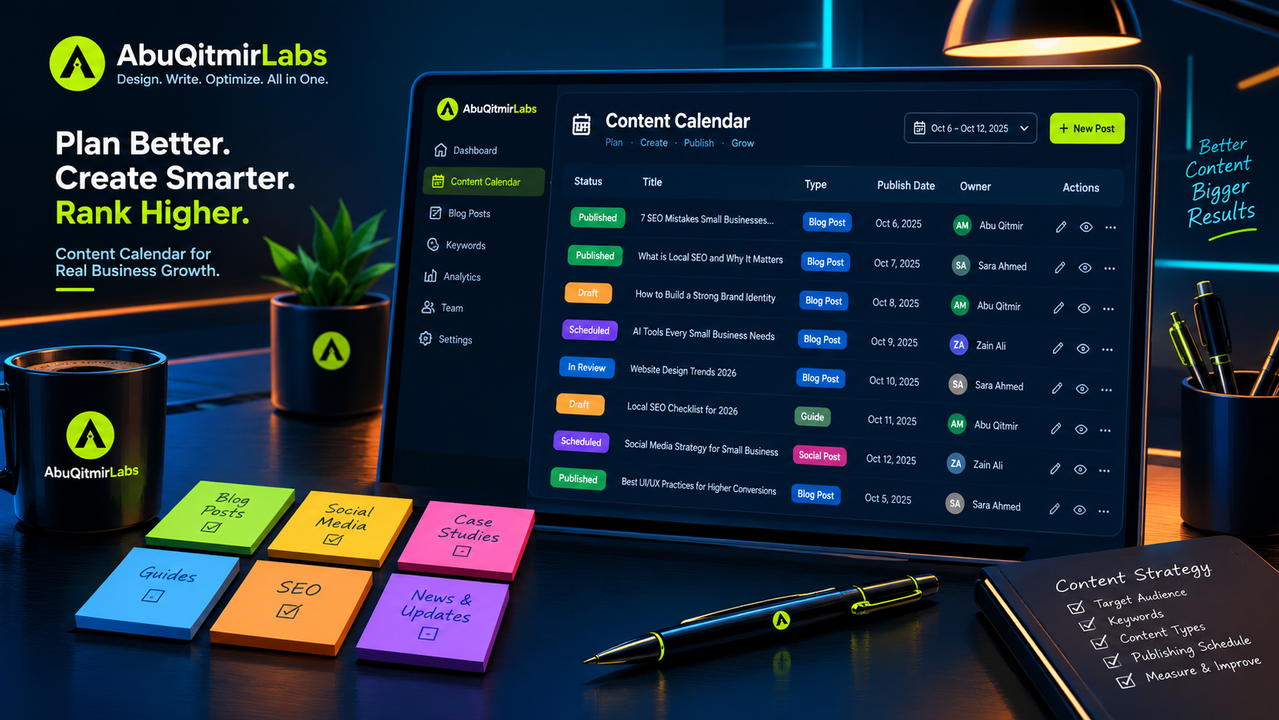
Your calendar does not need to be complicated. Use this exact structure in Google Sheets or Notion.
| Column Name | What to Include |
|---|---|
| Publish Date | The exact day the content goes live. |
| Status | Ideation / Drafting / Editing / Design / Scheduled / Published |
| Title / Topic | The working title. |
| Content Pillar | Which of your 3-5 themes it falls under. |
| Target Keyword | The primary SEO keyword. |
| Owner | The person responsible for the final draft. |
| Assets Required | E.g., Custom feature image, social graphics. |
| CTA | What is the next step for the reader? |
Pro-Tip: Add a "Notes" column for links to the content brief, Google Docs drafts, and Figma design files.
Common Mistakes Founders Make with Content Calendars
Mistake 1: Planning Too Far Ahead
Planning a 12-month calendar is a waste of time. The market changes, your business goals change, and algorithms change. Plan 3 months ahead, but keep it flexible.
Mistake 2: Ignoring the Design Workflow
A great article is useless if the header image is blurry or the social graphics are missing. Ensure the design team is briefed at the same time as the writer.
Mistake 3: No Review Process
If you publish without an editor, typos and factual errors will slip through. This destroys trust. Include a 24-hour editing buffer before publishing.
Mistake 4: Forgetting Distribution
You spend 5 hours writing an article and 5 minutes posting it on Twitter. That is backwards. Spend 20% of your time creating and 80% distributing.
Mistake 5: Not Accounting for Vacation
If your lead writer is on vacation for two weeks, your calendar should reflect that. Build a buffer of pre-written content before the break.
Frequently Asked Questions
What is a content calendar strategy?
A content calendar strategy is a systematic plan for creating, scheduling, and publishing content. It defines the topics, the target audience, the publishing frequency, and the team responsible for execution.
How far in advance should I plan content?
Plan your core themes and backlogs 3 months in advance. However, finalize specific publishing dates and drafts on a rolling 4-week basis to remain flexible to market changes.
What tools are best for content calendars?
You do not need complex software. Google Sheets, Notion, or Airtable are usually sufficient for small to mid-sized teams. For enterprise teams, tools like CoSchedule or Asana can help manage complex workflows.
How do I handle content that gets delayed?
Do not panic. Move it to the next available slot in the calendar and fill the gap with an older, high-performing piece (content refresh) or a quick social media post. Build a backlog to minimize this risk.
Should I include social media in the same calendar?
Yes. It should be part of the same system. When a blog post is published, the calendar should automatically trigger tasks for social media promotion, newsletter inclusion, and graphic design.
How does a content calendar help SEO?
A content calendar ensures consistency. Search engines reward sites that publish high-quality content regularly. It also helps you coordinate internal linking, ensuring new content links to older pillar pages.
How do I measure the ROI of a content calendar?
Measure the output (number of posts published on time), the traffic (organic sessions to those posts), and the conversion rate (leads generated).
How does AbuQitmirLabs help with content planning?
AbuQitmirLabs builds content engines for B2B companies. We handle keyword research, content briefs, writing, design, and distribution. Explore our content writing services to see how we structure calendars for clients.
Conclusion: Build the System, Not the Wishlist
A content calendar is not a magic formula for success. It is a tool for accountability. It ensures that you do not skip a week because you are tired, and it ensures that your team knows exactly what needs to be done.
By defining your pillars, setting a realistic cadence, and assigning clear owners, you turn content marketing from a chaotic scramble into a predictable growth engine.
If you are ready to build a content system that actually gets followed, contact AbuQitmirLabs for a technical consultation. We will help you audit your current process and build a scalable calendar.
For more insights on content execution, read our guide on SEO Content vs Thought Leadership and download our Content Brief Template to get started today.
Stop planning. Start publishing.
Related Articles
You have a blog. You are publishing articles every week. But your organic traffic is flat, and your sales team is complaining about a lack of qualified leads. This is the content strategy paradox. Founders are told to invest in content but rarely told what kind to write. In 2026, with Google's AI Overviews answering 60% of queries without a click, generic articles no longer work. You need a dual-engine strategy. This guide breaks down the exact difference between SEO content (designed to capture demand) and thought leadership (designed to build trust). It includes a stage-based decision matrix to help you allocate your resources whether you are at $1M ARR or $10M ARR. Learn how to combine both strategies to build topical authority and get cited by AI engines.
A founder-friendly checklist for briefing graphic designers. Includes a free brief template, 12 must-have sections, and common mistakes to avoid. Read now.
Every January, the design world gets hit with a wave of "trends." Founders panic, spend thousands on a redesign, and implement whatever is trending on Dribbble.
Join founders, CTOs, and product leaders receiving our bi-weekly technical benchmarks on AI agents, Next.js speed engineering, and organic growth.

Abu Qitmir Mohammad Shiraz Al-Madani
Founder & Lead Systems Architect at AbuQitmirLabs. Specializing in high-performance digital ecosystems, AI-driven architectures, and building scalable full-stack software systems.