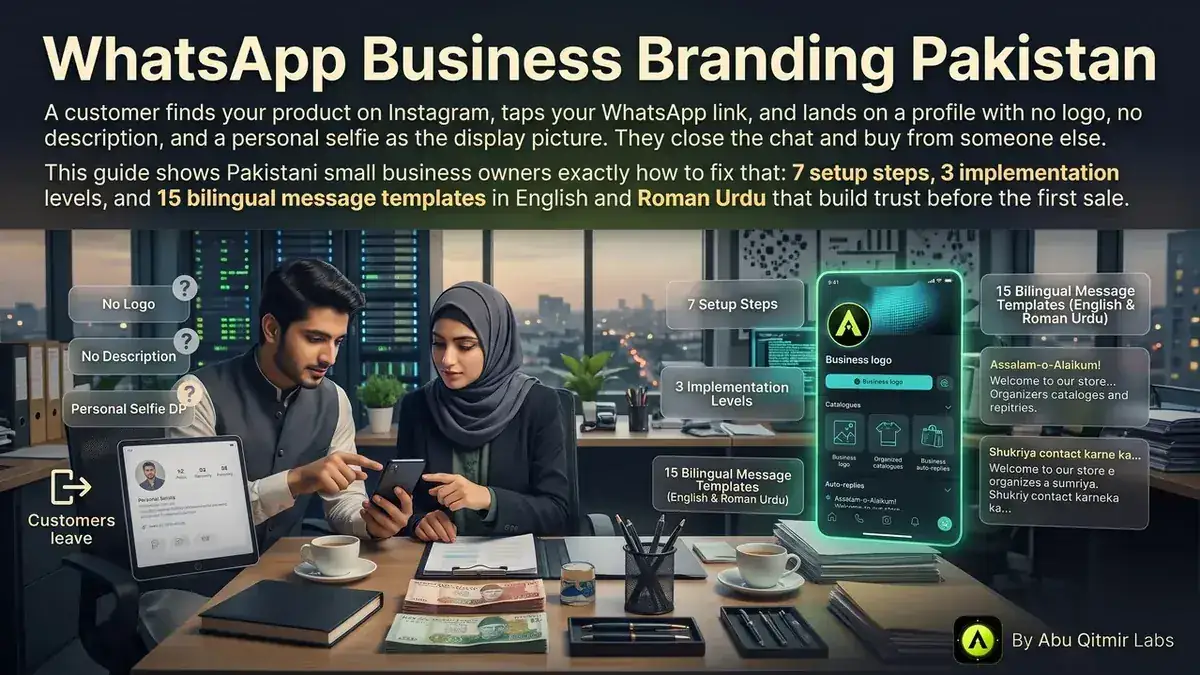
Your WhatsApp Business profile is doing sales work before you send a single message.
A customer in Karachi sees your product on Instagram. They tap the WhatsApp link. They land on a profile with no photo, no description, and a personal number with someone's selfie as the display picture. They close the chat and buy from someone else.
That is not a sales problem. That is a branding problem.
Profile, Catalogue and Templates That Close Sales on WhatsApp
Quick Takeaways
- A blank WhatsApp Business profile can lose customer trust before the conversation starts
- Three setup levels exist: Basic, Branded, and Connected. Many growing small businesses in Pakistan start with the Branded level
- Basic and Branded WhatsApp Business setup uses free built-in app features; two hours may be enough for a small catalogue, depending on the number of products, photos, and templates
- Consistent reply templates help build brand trust across every customer interaction
- One person should own the inbox for the system to stay consistent
- 15 ready-to-use message templates are included below, in English and Roman Urdu
Direct Answer: WhatsApp Business branding means setting up your profile image, business description, catalogue, greeting message, away message, and quick replies so that every customer interaction looks and sounds like the same business. For small businesses in Pakistan, a branded WhatsApp presence is often the first real impression a customer gets before making a purchase decision.
AbuQitmirLabs, a Karachi-based brand building and digital marketing agency founded in 2021, works with small businesses across Pakistan on this exact setup. This article covers every setup step, all three levels of implementation, and 15 message templates you can copy and adapt today.
The Problem: Many Pakistani Small Businesses Have a WhatsApp Number, Not a WhatsApp Brand
Direct Answer: A WhatsApp number is not the same as a WhatsApp brand. A number lets customers message you. A brand tells customers who you are, what you sell, how much it costs, when you are available, and how you communicate before they ask a single question. Many small businesses in Pakistan have the number, while fewer have built a consistent brand around it.
Here is what a blank or inconsistent WhatsApp Business setup can cost a small business in Pakistan.
A customer messages at 11 PM and gets no reply until 10 AM the next day, with no away message to explain the gap. The customer may assume the business is unresponsive or inactive and move on, even when the product was in stock the entire time.
A customer asks for the price of a product. The owner types a fresh price each time, sometimes including delivery charges and sometimes not. A customer who paid delivery charges sees another customer share a price without delivery charges in a WhatsApp group. A complaint follows, then a refund request or negative feedback.
A customer shares your WhatsApp number with a friend. The friend opens the chat, sees a personal profile photo, no business name, and no description. They assume it is a personal contact and do not message.
These are common situations when small businesses in Pakistan use WhatsApp to sell without setting it up as a branded channel.
Why WhatsApp Branding Problems Happen
Direct Answer: WhatsApp Business branding problems often happen because small business owners set up their WhatsApp number once, treat it like a regular messaging app, and never return to configure the business-specific tools the platform provides. The app itself does not prompt you to complete your profile after the initial setup. No alarm goes off when a customer sees a blank description or an outdated catalogue item.
Three root causes explain common WhatsApp branding gaps for small businesses in Pakistan.
No owner for the inbox. When multiple family members or employees share access to the same WhatsApp Business number, no one controls the tone, the response time, or the message templates. Each person replies differently, making the brand sound inconsistent.
Profile set up once and never reviewed. Business hours change. Products change. Prices change. Contact details change. The WhatsApp Business profile does not update itself. Businesses that set up their profile at launch and never return end up showing customers outdated or wrong information months or years later.
No shared templates. Without saved quick replies, every response is typed from scratch. Under pressure, messages get shorter, less clear, and inconsistent. The same question from two customers on the same day can get two different answers.
What We See in Client Accounts
When auditing Pakistani retail, food, and service businesses at AbuQitmirLabs, we see the same operational patterns repeatedly before any paid ads or website changes take place. Two anonymized patterns come up in almost every first-week inbox review:
Example 1 - Social-to-WhatsApp disconnect on an Instagram-first retail account: A Karachi apparel and gift seller invested heavily in clean Instagram reels and packaging, yet the WhatsApp link in bio opened to an uncropped personal photo, a blank About line, no operating hours, and catalogue items missing PKR prices. First-time buyers clicked through from ads and immediately typed "PP?" or hesitated at night with no away message. Simply moving to a dedicated business SIM, uploading a high-contrast 500×500 px logo, organizing products into priced PKR collections, and switching on a Monday–Saturday away message removed repetitive price-only chats before a single ad rupee was touched. Aligning this handover alongside a structured brand consistency checklist and a broader brand audit checklist for Pakistani businesses removes early trust friction at the moment a buyer leaves Instagram or Google.
Example 2 - Multi-staff quoting drift on a shared delivery desk: In a small food and courier-heavy business where two team members replied from the same WhatsApp Business number without saved templates, one person quoted flat Rs. 250 local delivery while the other quoted weight-based rates and forgot to send courier tracking links. Documenting seven standardized / quick replies (/price, /delivery, /payment, /confirm, /delay, /complaint, /review), pairing them with one-page brand guidelines for small businesses in Pakistan and a unified social media brand kit, keeps tone, JazzCash/Easypaisa terms, and pricing consistent across shifts without paying for extra CRM software.
Three Setup Levels: Which One Does Your Business Need?
Level 1: Basic Setup
Direct Answer: The Basic level covers a correct profile image, a completed business description, and a greeting message. This is the minimum a business needs to look legitimate on WhatsApp. It can usually be completed quickly and fixes the most damaging first-impression problems.
What Basic includes:
- Branded profile image (your logo, not a personal photo)
- Business name set correctly (plan carefully, as changing it later can be restricted)
- Business description (WhatsApp may allow a longer business description, but keep the first 150 characters clear because that is the part most likely to appear in previews or be read quickly)
- Greeting message for first-time contacts
- Business category, address, website, and hours filled in
Who needs Basic: Any business currently using a personal profile image or a blank description. This is the starting floor, not the final goal.
What Basic does not solve: It does not give customers a way to browse your products. It does not answer common questions automatically. It does not organise conversations or track customer journey stages.
Level 2: Branded Setup
Direct Answer: The Branded level adds a product catalogue with real photos and prices, a full quick reply library for common questions, an away message, and labels to organize conversations by customer stage. This is the level that replaces the daily friction of repeated typing and inconsistent replies. Many growing small businesses in Pakistan start at this level.
What Branded adds on top of Basic:
- Product or service catalogue with real photos, prices in PKR, and descriptions
- Quick reply library covering seven common customer scenarios
- Away message with realistic response time stated clearly
- Labels to track customer stages (New Lead, Quotation Sent, Order Confirmed, Paid, Delivered, Completed)
- One named inbox owner responsible for the account
Who needs Branded: Any business handling regular daily WhatsApp enquiries, selling physical or digital products, or having more than one person occasionally accessing the inbox.
Level 3: Connected Setup
Direct Answer: The Connected level links WhatsApp Business to a CRM system, an e-commerce platform, or an automation tool through the WhatsApp Business Platform (API). This level is for businesses handling higher message volumes that the standard app cannot manage easily. API access may require Meta Business verification and additional business information.
2026 Pakistan WhatsApp Business API Pricing Overview: Unlike the free WhatsApp Business mobile app, API messaging is billed per delivered template message by category. Indicative 2026 Meta per-message rates for Pakistan are approximately $0.0473 per Marketing message, $0.0150 per Utility message, and $0.0150 per Authentication message, while Service replies have mostly transitioned to paid billing rules starting 1 October 2026 (subject to active customer-service window and provider terms). Third-party WhatsApp Business Solution Providers (such as Zoko and Wati) also charge monthly platform fees on top of Meta rates. Disclaimer: Meta rates, billing categories, free-window rules, and BSP fees can change, so confirm current rate cards and verification requirements with the official Meta WhatsApp Business Platform or your provider before choosing a Connected setup.
If your business is at the Branded level and working well, only move to Connected when message volume or workflow needs genuinely demand it.
Comparison Table: Which Level Is Right for Your Business?
| Factor | Basic | Branded | Connected |
|---|---|---|---|
| Typical setup time | Around 30 minutes | ~2 hours+ (depends on catalogue size) | Several days (depends on integration scope) |
| Technical skill needed | None | None | Developer or technical partner |
| Catalogue | No | Yes | Yes, API-integrated |
| Quick replies | No | Yes | Yes, with workflow automation |
| Away message | Yes | Yes | Yes, automated routing |
| Inbox organisation | No | Labels only | CRM integration |
| Message automation | Greeting only | Greeting and away | Full flow automation |
| Cost | Free app | Free app | Provider fee + Meta per-message rates (PK 2026: ~$0.0473 marketing, $0.0150 utility/auth; rates may change) |
| Best for | Low-volume inboxes | Growing small businesses | High-volume teams needing CRM/API workflows |
| AbuQitmirLabs approach | Starting point only | Common practical starting level | Scoped on request |
Recommended Approach: The Branded Level with One Inbox Owner
AbuQitmirLabs often recommends the Branded level as a practical starting point for small businesses in Pakistan. The reasons are practical.
The Branded level uses free built-in features and requires only the time to configure them. It addresses the three root causes listed above: it creates a consistent first impression, it gives customers a way to browse before they ask, and it reduces the need to type the same answers repeatedly.
The single most important decision in the Branded setup is assigning one inbox owner. This is the person who controls the WhatsApp number, maintains the quick reply library, updates the catalogue when products or prices change, and responds within the agreed time window. When no one owns the inbox, templates and catalogues quickly fall out of date.
Our brand building services cover WhatsApp Business setup as part of a complete brand presence for small businesses in Pakistan. If you want someone to handle the setup and write the templates for your business, that is a service we provide. If you want to do it yourself, the steps below cover everything you need.
Step-by-Step Setup: 7 Steps to a Branded WhatsApp Business Profile
Step 1: Set Up Your Profile Image and Business Name
Download the WhatsApp Business app and register a phone number dedicated to your business. Use a SIM card that stays with the business, not with an individual employee.
Go to Settings, then Business Tools, then Business Profile. Upload your logo as the profile image. Use a square image at a minimum of 500 by 500 pixels. Your logo should be clearly visible at small sizes because WhatsApp shows profile images in a small circle in chat lists.
Set your business name carefully, as changing it later can be restricted. Use the name your customers already know you by.
Step 2: Write Your Business Description
Your description is the first thing a new contact reads when they open your profile. It should answer three questions in plain language: what you sell, who you sell to, and where you operate.
WhatsApp may allow a longer business description, but keep the first 150 characters clear because that is the part most likely to appear in previews or be read quickly.
Examples of good descriptions:
English: "Karachi-based custom clothing. Ladies and kids only. Orders open Monday to Saturday. Delivery available across Pakistan."
Roman Urdu: "Karachi se ghar ki banai mithai. Orders kal tak ready. DHA, Clifton, Gulshan mein delivery. Website pe full menu dekhen."
Fill in your business category, website URL, business hours, and address. Customers often check business hours before messaging to avoid off-hours delays.
Step 3: Build Your Branded Catalogue
Go to Business Tools, then Catalogue. Add every product or service your business offers.
For each catalogue item you need:
- A real photo taken in natural light against a plain background
- The product name as customers search for it
- The price in PKR (in many businesses, showing prices can reduce unnecessary back-and-forth; test this with your own enquiry data)
- A short description of two to three sentences
Group items into collections if you sell across categories. For example, a food business might have collections for Mithai, Snacks, and Beverages.
Our graphics design services can help create consistent product visuals if your existing images are inconsistent or low quality.
Avoid stock photos in a Pakistani small business catalogue. Customers in Pakistan expect to see the actual product they will receive. Stock photos can create expectation gaps with buyers.
Step 4: Write Your Greeting Message
The greeting message goes to any customer who messages you for the first time, or who messages after 14 days of no contact. It is the automated first reply.
A good greeting message tells the customer they reached the right business, sets an expectation for response time, and directs them to your catalogue.
Template (English): "Assalamu Alaikum! Thank you for reaching out to [Business Name]. We will reply within [X hours / by [time] today]. You can browse our products here: [catalogue link]. For urgent queries, please mention 'URGENT' in your message."
Template (Roman Urdu): "Assalamu Alaikum! [Business Name] mein aapka khair maqdam hai. Hum [X ghante mein] jawab denge. Hamari products yahan dekhein: [catalogue link]. Jaldi zaroorat ho to 'URGENT' likh kar bhejein."
Do not write "We will get back to you as soon as possible." This tells the customer nothing. Write a specific time window and honour it.
Step 5: Set Your Away Message
The away message goes to anyone who messages outside your business hours. Set it to activate automatically based on your business hours in the profile settings.
Template (English): "Thank you for your message. Our business hours are [Monday to Saturday, 10 AM to 8 PM]. We will reply to you first thing when we open. Your message is saved and no reply is needed from you."
Template (Roman Urdu): "Shukriya message karne ka. Hamara kaam ka waqt [Monday se Saturday, subah 10 se raat 8] hai. Kal subah sabse pehle aapko reply karenge. Dobara message karne ki zaroorat nahi."
The last sentence matters. It helps stop customers from sending repeated follow-up messages that create an overnight backlog.
Step 6: Create Your Quick Reply Library
Go to Business Tools, then Quick Replies. Create a shortcut (a word you type starting with /) and the full message text for each reply.
Build these seven replies first. Add more as your business needs them.
Quick Reply 1: Price Enquiry Shortcut: /price English: "Thank you for asking. Here are our current prices: [paste price list or catalogue link]. All prices include [state if delivery or packaging is included or not]. Do you have any specific questions about an item?" Roman Urdu: "Shukriya poochne ka. Hamare prices yahan hain: [catalogue link]. Delivery [shamil hai / alag charge hai]. Koi khas cheez ke baare mein poochna ho to batain."
Quick Reply 2: Delivery Information Shortcut: /delivery English: "We deliver to [cities/areas]. Delivery takes [X to Y working days] from order confirmation. Delivery charges are [PKR X within Karachi / PKR X outside Karachi via courier]. We will send you a tracking number once your order is dispatched." Roman Urdu: "[Sheher/ilaqon] mein delivery karte hain. Delivery [X se Y kaam ke dino mein] hoti hai. Karachi ke andar [PKR X], bahar [courier se PKR X]. Dispatch hone ke baad tracking number bhejenge."
Quick Reply 3: Payment Methods Shortcut: /payment English: "We accept JazzCash, Easypaisa, bank transfer [state bank name and account title], and cash on delivery for orders within [area]. For first-time orders above PKR [amount], a 50 percent deposit is required." Roman Urdu: "JazzCash, Easypaisa, bank transfer [bank ka naam aur account title], aur [ilaqe ke andar] cash on delivery qabool karte hain. Pehli dafa PKR [amount] se zyada order mein advance zaroori hoga."
Quick Reply 4: Order Confirmation Shortcut: /confirm English: "Your order is confirmed. Here is a summary: [item name], [quantity], [price], delivery to [address]. Expected delivery: [date]. If anything looks wrong, please reply within 2 hours. Thank you for ordering from [Business Name]." Roman Urdu: "Aapka order confirm ho gaya. Yeh raha summary: [cheez ka naam], [tedad], [qeemat], delivery [address par]. Delivery ki umeed: [date]. Koi galti ho to 2 ghante mein batain. [Business Name] se order karne ka shukriya."
Quick Reply 5: Delay Notification Shortcut: /delay English: "We want to let you know that your order has been delayed. New expected delivery date: [date]. We apologise for the inconvenience. This happened because [brief honest reason]. You can cancel for a full refund if you prefer. Please reply and let us know what you would like to do." Roman Urdu: "Aapke order mein deri ho gayi hai. Naya delivery date: [date]. Maazrat chahte hain. Yeh [mukhtasar wajah] ki wajah se hua. Aap chahein to poora paisa wapas le sakte hain. Reply mein batain kya karna chahenge."
Quick Reply 6: Complaint Acknowledgement Shortcut: /complaint English: "We are sorry to hear about this issue. Your concern has been noted. We will investigate and come back to you within [X hours] with a resolution. Can you please share [photos / order number / details] so we can help you faster?" Roman Urdu: "Yeh sun ke afsos hua. Aapki baat note kar li gayi hai. Hum [X ghante mein] jawab denge aur masla hal karenge. Kya aap [photos / order number / details] share kar sakte hain taake jaldi madad kar sakein?"
Quick Reply 7: Review Request Shortcut: /review English: "Thank you for your order. We hope everything arrived as expected. If you have a moment, we would appreciate a quick review on [Google / Facebook / platform]. Your feedback helps other customers find us. Here is the link: [review link]" Roman Urdu: "Order karne ka shukriya. Umeed hai sab theek pahuncha. Agar time ho to [Google / Facebook / platform] par ek review likhein. Aapki baat se dusre customers ko madad milti hai: [link]"
Step 7: Assign One Inbox Owner and Set a Response Standard
Name one person as the WhatsApp inbox owner. This person is responsible for:
- Responding within the agreed time window (state it in your greeting message and keep it)
- Updating quick replies when product or price information changes
- Adding new catalogue items within 24 hours of a product going live
- Reviewing labels weekly to follow up on unconverted leads
Set a response time standard your business can actually keep. Many small businesses in Pakistan aim to reply within two to four hours during business hours. If you cannot meet that, state a longer window clearly in your greeting message. A broken promise is worse than a long but kept one.
If you need help setting up a complete WhatsApp-integrated brand system, our digital marketing services cover the full setup, quick reply writing, and catalogue photography brief.
Keeping Your WhatsApp Branding Up to Date Quarterly
Treat your WhatsApp Business profile as a live storefront rather than a one-time install. Once every quarter (for example, ahead of seasonal Eid collections, winter/summer launches, or courier rate revisions), run this 20-minute review:
- Catalogue accuracy & photography: Verify PKR prices, out-of-stock removals, bundle offers, and crisp daylight photos inside every active collection.
- Hours & holiday away rules: Update Monday–Saturday timings, seasonal Ramadan/Eid schedules, and realistic response windows in both your greeting and away messages.
- Quick reply & payment check: Confirm your seven
/templates match current JazzCash/Easypaisa/bank account titles and city-wise TCS/Leopards/PostEx delivery charges. - Meta API pricing & policy check: If you run or plan a Connected API workflow, verify updated Meta Pakistan per-message rates (
$0.0473marketing,$0.0150utility/authentication, and post-October 2026 service reply rules) plus provider fees, as rates can change. - Channel & GMB link alignment: Test your
wa.meand short catalogue links from Instagram bio, website contact buttons, and your Google Business Profile URL action so every entry point lands cleanly.
15 Ready-to-Use WhatsApp Message Templates (Grouped by Customer Journey Stage)
These templates cover the complete customer journey from first contact to post-sale follow-up. Copy and paste each one into your WhatsApp Business quick replies, or adapt the language to match your business voice.
Stage 1: First Contact
Template 1: Greeting for First-Time Customer "Assalamu Alaikum! Aap [Business Name] par aaye, shukriya. Aap hamare products yahan dekh sakte hain: [catalogue link]. Kuch bhi poochna ho to bilkul puchein. Hum [X ghante mein] jawab dete hain."
Template 2: Greeting When Customer Asks Before Browsing "Shukriya contact karne ka. Main aapko help karta/karti hun. Pehle yeh batain - aap kis cheez ki talash mein hain? Main specifically aapki zaroorat ke mutabiq products suggest kar sakta/sakti hun."
Stage 2: Quotation and Product Information
Template 3: Sending a Quotation "Yahan aapki request ke mutabiq quotation hai: [Item 1] - PKR [amount] [Item 2] - PKR [amount] Delivery charges: PKR [amount] / [included] Total: PKR [amount] Yeh quotation [date] tak valid hai. Koi sawaal ho to batain."
Template 4: Product Not Available "Afsos, filhaal [product name] available nahi hai. Yeh [date] tak available hoga. Kya main aapko tab WhatsApp karoon jab stock aa jaye? Aapko dobara yaad karna nahi parega."
Stage 3: Order Confirmation and Payment
Template 5: Payment Received Confirmation "Payment mil gayi, shukriya. Aapka order confirm ho gaya. Order number: [number] Item: [item name] Delivery date: [date] Yeh save kar lein. Koi bhi sawaal ho to reply karein."
Template 6: Payment Reminder (Soft) "Assalamu Alaikum! Aapne [item name] order kiya tha. Sirf reminder ke tor par, payment abhi pending hai. Koi masla ho to zaroor batain. Hum [payment method] accept karte hain."
Stage 4: Delivery Updates
Template 7: Order Dispatched "Khushkhabri! Aapka order dispatch ho gaya. Tracking number: [number] Courier: [name] Expected delivery: [date] Tracking link: [link] Koi update chahiye ho to reply karein."
Template 8: Delivery Attempted but Failed "Aaj aapke address par delivery ki koshish ki gayi lekin kamyaab nahi hui. Courier company kal dobara aayegi. Kya aap ghar par hain? Delivery ka waqt batadein to arrange kar denge."
Stage 5: Post-Delivery
Template 9: Delivery Confirmation Request "Assalamu Alaikum! Delivery ho gayi? Umeed hai sab theek pahuncha. Agar koi masla ho to abhi batain, hum hal karenge. Sab theek ho to ek thumbs up emoji bhejein."
Template 10: Review Request (After Positive Feedback) "Yeh sun kar khushi hui. Agar aapke paas 2 minute hain to [Google / Facebook] par review likh dein to bahut shukriya hoga. Link yahan hai: [link]. Aapki baat se aur log bhi sahi cheez chunne mein help karenge."
Stage 6: Complaint and Resolution
Template 11: Complaint Received "Aapka masla sun ke afsos hua. Yeh bilkul theek nahi tha. Kya aap photos share kar sakte hain? Hum [X ghante mein] wapas aayenge aur poori baat hal karenge. Aapko intezaar nahi karna parega."
Template 12: Resolution Offered "Humne aapka masla dekha. Yahan aapke options hain:
- Naya [product] bhejna
- Poora paisa wapas
- Discount ke saath agla order
Jo bhi aapke liye theek ho, hum woh karenge. Reply mein batain."
Stage 7: Re-Engagement
Template 13: Returning Customer Welcome "Assalamu Alaikum! Phir se milke khushi hui. Aapke liye kuch naya aaya hai: [brief description]. Details chahiye to batain."
Template 14: Product Back in Stock "Good news! [Product name] wapas available hai. Aap pehle interested the, isliye bata raha/rahi hun. Stock limited hai. Agar chahiye to reply karein."
Template 15: Inactive Customer Follow-Up "Assalamu Alaikum! Kaafi waqt ho gaya. Umeed hai sab theek hai. Humari taraf se kuch naya hai jo shayad aapke kaam aaye: [one line about new product or offer]. Zaroorat ho to reply karein."
For content writing services that cover WhatsApp reply writing, brand voice guides, and bilingual content for your business, our team at AbuQitmirLabs handles the writing so your inbox always sounds clear and consistent.
Common Mistakes Small Businesses in Pakistan Make on WhatsApp Business
Many of these gaps overlap with broader small business branding mistakes in Pakistan where operational habits undermine visual trust.
Mistake 1: Using a Personal Number with No Business Profile A personal number with someone's photo and a first name tells the customer nothing about the business. It also creates an operational risk because the number is tied to a person, not the business. If that person leaves, the business can lose the number and its chat history. Use a dedicated SIM card registered for the business from day one.
Mistake 2: Formal Greeting Message with Casual Replies A professional automated greeting followed by one-word replies from the inbox owner creates a confusing brand experience. The greeting promises one type of business. The replies deliver another. Train the inbox owner to match the tone of the greeting message in every manual reply.
Mistake 3: Catalogue Items with No Prices or Low-Quality Photos Customers in Pakistan who do not see a price may assume the item is expensive or that pricing is inconsistent. In many businesses, showing prices can reduce unnecessary back-and-forth. Test this with your own enquiry data. Use real photos taken in daylight, include the price in PKR, and write a short description that answers common follow-up questions for each item.
Mistake 4: No Away Message Customers who message at night and receive no reply by morning may assume the business is unresponsive or inactive and not message again. An away message that sets a clear expectation keeps the customer in the conversation. It uses built-in settings at no extra cost and helps reduce off-hours enquiry drop-offs.
Mistake 5: No Single Inbox Owner When multiple people access the same WhatsApp Business number without coordination, customers can receive different answers to the same question, inconsistent pricing, conflicting delivery timelines, and messages in different tones. One inbox owner should control the account, while others access it only with clear guidelines.
For teams scaling production architecture, explore our custom software engineering and AI agent development with AbuQitmirLabs.
Frequently Asked Questions
How do I set up WhatsApp Business branding for my small business in Pakistan?
Download the WhatsApp Business app, register a dedicated business number, upload your logo as the profile image, write a clear business description (keeping the first 150 characters concise for previews) in simple Urdu or English, build a catalogue with real photos and prices, set a greeting message and an away message, and create quick replies for your most common customer questions. Two hours may be enough for a small catalogue, but the actual time depends on the number of products, photos and templates.
Is WhatsApp Business branding different from regular WhatsApp?
Yes. WhatsApp Business gives you a dedicated Business Profile with your business name, description, category, hours, address and website. Verification badges are separate and are not automatically included with every account. Regular WhatsApp shows only a name and photo. The Business version also includes a product catalogue, quick replies, greeting messages, away messages, and labels to organize chats. These features do not exist in the regular app.
How much does WhatsApp Business cost in Pakistan?
The WhatsApp Business app is free to download and use; you only need an internet connection. The WhatsApp Business Platform (API), used for higher message volumes and CRM automation, may require Meta Business verification and carries both BSP platform fees and Meta per-message charges (in Pakistan in 2026: approximately $0.0473 for marketing, $0.0150 for utility, $0.0150 for authentication, with service replies mostly charged from 1 October 2026). Rates and billing rules can change, so confirm current pricing with your provider before upgrading. For many small businesses in Pakistan, the free standard app is enough to start.
What should I write in my WhatsApp Business description in Pakistan?
WhatsApp may allow a longer business description, but keep the first 150 characters clear because that is the part most likely to appear in previews or be read quickly. State what you sell, who you serve, and your city. For example: "Karachi ki ghar ki banai mithai. Delivery available in DHA, Clifton, Gulshan. Orders by 6 PM ship same day." Keep it in the language your customers use, and add your website if you have one.
Should I use Urdu or English in WhatsApp Business replies in Pakistan?
Match the language your customer uses in their first message. If they write in Roman Urdu, reply in Roman Urdu. If they write in English, reply in English. Bilingual quick replies work well: write one version in English and a second version of the same reply in Roman Urdu. This covers both customer types without extra effort.
How many quick replies should I create for my WhatsApp Business?
Start with seven. Create one reply for price enquiry, one for delivery information, one for payment methods, one for order confirmation, one for delay notification, one for complaint acknowledgement, and one for review request. These seven cover common daily customer scenarios for many small businesses in Pakistan. Add more as new patterns emerge in your own inbox.
What photos should I use in my WhatsApp Business catalogue?
Use real photos of your actual products or services taken in natural daylight against a plain background. Avoid stock photos. Each catalogue item needs at least one clear photo, an accurate product name, the price in PKR, and a short description. In many businesses, showing prices can reduce unnecessary back-and-forth. Test this with your own enquiry data.
Is WhatsApp Business better than a website for small businesses in Pakistan?
WhatsApp Business and a website serve different purposes. WhatsApp Business handles active conversations, quick replies, and order taking. A website handles discovery, credibility, and SEO. In Pakistan, many buyers find a business through word of mouth or social media and then contact via WhatsApp. A website gives you a place to send those buyers before they message. The two work together, not instead of each other. Our web development services can help you build a website that connects directly into your WhatsApp Business setup.
Conclusion
A WhatsApp number and a WhatsApp brand are two different things. Many small businesses in Pakistan have the number, while fewer have done the work to build a consistent brand around it. A blank profile, missing catalogue details, and inconsistent replies can cost customer trust before the first real conversation begins.
The fix is straightforward. The Branded setup level, one inbox owner, seven quick replies, and a catalogue with real photos and prices can transform how customers experience your business from the first message. The templates in this article are ready to copy and adapt today.
If you want a professional setup done for your business, including brand voice, bilingual templates, catalogue photography briefs, and WhatsApp-to-website integration, our team at AbuQitmirLabs is ready to help. Book a brand review and we will tell you what your WhatsApp Business setup is missing.
Prefer to discuss your setup directly? WhatsApp par baat karein to message our Karachi team directly.
For more guides on brand building and digital marketing for small businesses in Pakistan, explore the AbuQitmirLabs blog.