Summary Box
Summary: This guide explains why AI tools keep overriding proven designs, code, and business decisions with each model update — a pattern rooted in the RLHF training covered earlier in this series — and how version control gives you a practical, immediate way to protect your work while a longer-term solution like RAG gets built. It covers what version control actually is, why it matters beyond software code, and how to set it up even if you've never used it before. AbuQitmirLabs builds both the protective infrastructure and the knowledge-grounded AI agent development that solves this at the root. Read time: approximately 9 minutes.
Table of Contents
- Introduction
- Why AI Tools Keep Changing Work That Already Worked
- What Version Control Actually Is
- Why This Matters Beyond Software Code
- What Version Control Looks Like in Practice
- Version Control for People Who Aren't Developers
- Freezing Model Versions: The Other Half of the Solution
- Version Control Is a Bridge, Not a Destination
- Setting This Up: A Practical Starting Point
- Common Mistakes Businesses Make Here
- How AbuQitmirLabs Approaches This
- Frequently Asked Questions
- Final Thoughts
Excerpt
You approve a design. Your business runs on it for months. Then an AI tool gets updated, you regenerate something using the same instructions, and the output has quietly changed — a different layout, a different tone, a different structure than the one you signed off on. Nothing was broken. It was simply overwritten by a newer model's confidence that its version was better. Version control is the practical, immediate defense against this — not a fix for why it happens, but a way to make sure you're never left without the version you actually approved.
Pull Quote
"You don't need to understand why a model changed your work to protect yourself from it. You just need a record of what you approved, and the ability to go back to it." — AbuQitmir Mohammad Shiraz Al-Madani
Key Highlights
- AI tools frequently produce different outputs for the same request after a model update — not because the request changed, but because newer models are trained to be more confident and more willing to override prior patterns, as explained in the RLHF piece earlier in this series
- Version control is the practice of keeping a permanent, dated record of every approved version of a piece of work, so you can always identify what changed and return to what you originally signed off on
- This applies well beyond software code — brand designs, marketing copy, business logic, and any AI-assisted output that represents a real business decision benefits from the same discipline
- A simple, low-effort version control habit (dated exports, a shared drive with version history, or basic Git usage) closes most of the practical risk, even without deep technical expertise
- Freezing which specific AI model version is used for a given production workflow is the complementary practice — it stops silent output drift at the source, rather than just catching it after the fact
- Version control does not solve the underlying problem described in the RAG Architecture piece — it is a practical stopgap while a knowledge-grounded system is built, not a permanent substitute for one
- The businesses most exposed to this risk are the ones using AI output directly in production — client-facing designs, published copy, live business logic — without any record of what was approved before the AI tool was updated
Introduction
If you've read the RLHF piece earlier in this series, you already understand the mechanism: newer AI models are trained to be more confident, and that confidence frequently shows up as a willingness to override a prior approach rather than respect it. If you've read the piece on RAG architecture, you know the long-term answer is grounding AI output in a controlled knowledge base your organization actually owns.
This piece addresses the gap in between. Building a proper knowledge-grounded system takes real time — auditing what you know, structuring it, connecting it to a retrieval system. In the meantime, businesses are still using AI tools every day, and those tools are still capable of quietly changing something that was already approved, correct, and working.
Version control is the practical answer to that gap. It's not a fix for why AI models override your work — it's a way to make sure that whatever the model does, you're never left without a record of what you actually approved, and never without a way to go back to it.
Why AI Tools Keep Changing Work That Already Worked
The pattern is familiar to anyone who has used AI tools for design, writing, or code over an extended period: you get a result you're happy with, use it as a reference for future requests, and at some point — usually after a model update — the same request produces something noticeably different. Not broken. Just different, and often presented with more confidence than the version it's replacing.
The mechanism behind this was covered in detail in the RLHF piece: newer models are trained in a way that rewards confident, decisive output over cautious, faithful reproduction of a prior pattern. From the model's perspective, it isn't discarding your work — it's offering what its training suggests is a better answer. From your perspective, something that was approved and working has been quietly replaced without your input.
This is not a malicious behavior or a bug in the traditional sense. It's a predictable consequence of how these models are trained, which means it's not something you can simply ask a vendor to fix. It's something you need to build a practical defense against.
What Version Control Actually Is
Version control, in its simplest form, is the practice of keeping a dated, permanent record of every meaningful version of a piece of work, along with enough information to know why each version exists and what changed between them.
In software development, this is formalized through tools like Git, which track every change to a codebase, who made it, and when, and allow anyone to instantly retrieve any prior version. But the underlying principle doesn't require specialized tools to apply. At its core, version control is answering one question reliably: if I need to go back to what I approved last month, can I actually find it and confirm it's the exact version I signed off on?
For most businesses, the honest answer right now is no — the "approved" version exists only as whatever the AI tool most recently produced, with no dated record of the version that was actually reviewed and signed off on.
Why This Matters Beyond Software Code
Version control has always been standard practice in software development. What's changed is that AI tools now generate business-critical output far beyond code — brand designs, marketing copy, pricing logic, customer-facing content, internal documentation — and most of that output has never been treated with the same discipline.
A design that took real client feedback and iteration to get right is just as vulnerable to being silently overwritten as a piece of code, and arguably more exposed, because non-technical teams are less likely to have any version tracking habit at all. The same is true for approved marketing copy, documented business logic explained to an AI tool in a prompt, or any other output where "what we approved" needs to remain retrievable regardless of what the underlying AI tool does next.
True advice
You're considering: If your team doesn't yet have a clear, dated record of what was approved before the last AI model update, that's a gap worth closing this week, independent of any larger AI investment you're considering.
What Version Control Looks Like in Practice
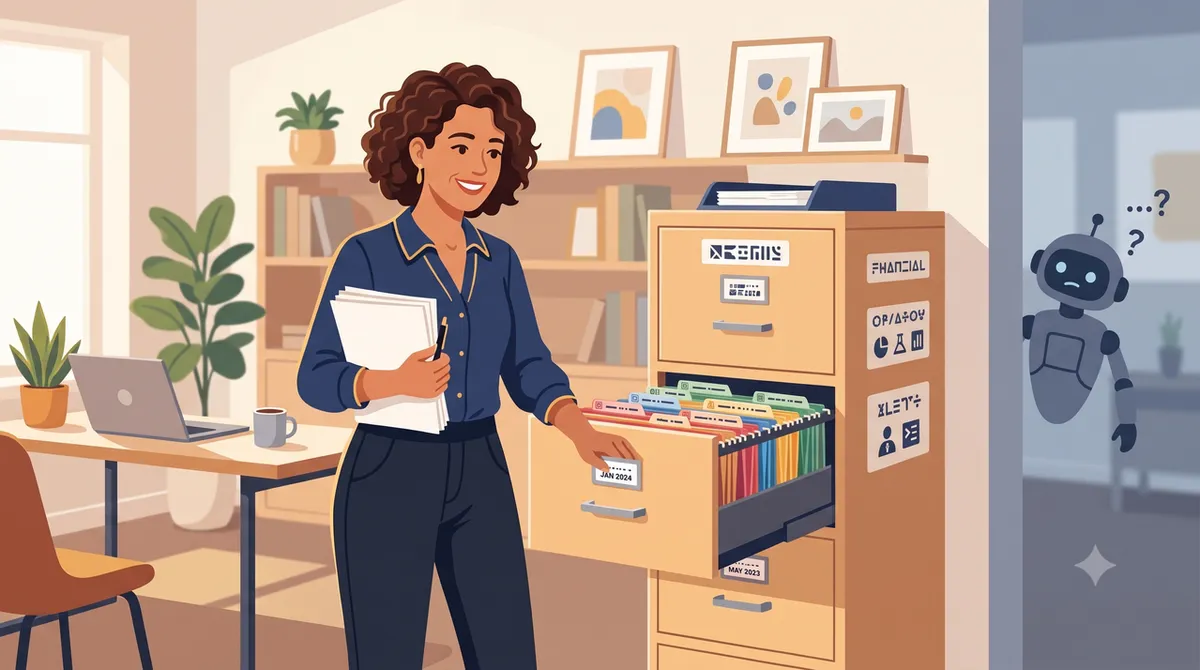
Applied to AI-assisted work, version control means treating every approved output as a permanent, dated artifact rather than a temporary result you'll simply regenerate next time you need something similar.
Concretely, this looks like: saving the exact approved version of a design or document with a clear date and version label, rather than only keeping the most recent AI-generated version. Recording which specific tool and model version produced the approved output, so a later discrepancy can be traced to an actual cause. Keeping the original prompt or brief alongside the output, so the full context of what was requested and approved is preserved together. Reviewing any newly generated output against the last approved version before replacing it in production, rather than assuming a newer generation is automatically better.
None of this requires specialized software. A well-organized shared drive with clear dating and labeling conventions accomplishes the core goal for most non-technical teams.
Version Control for People Who Aren't Developers
For teams without a technical background, the idea of "version control" can sound like it requires learning Git and command-line tools. It doesn't, for most practical purposes.
The simplest starting point is a disciplined folder and naming convention: every approved output saved with a clear date and version number, in a shared location the whole team can access, with old versions never deleted or overwritten. Cloud storage tools with built-in version history (many standard file-sharing platforms include this) can handle much of the practical need automatically, as long as the team actually uses the approved-version folder consistently rather than working directly out of whatever the AI tool most recently generated.
For teams working with actual code or design files where more rigor is useful, a lightweight introduction to Git — even just enough to save and label versions, without needing to master branching or merging — closes most of the remaining gap. The goal isn't technical sophistication; it's simply never being in a position where the only copy of an approved decision is whatever an AI tool feels like producing today.
Freezing Model Versions: The Other Half of the Solution
Version control protects you after the fact — it ensures you can always retrieve what was approved, regardless of what happens next. The complementary practice is preventing unwanted change from happening in the first place, by deliberately freezing which specific AI model version is used for a given production workflow, rather than always defaulting to "the latest."
Most AI tools and platforms allow pinning a specific model version for ongoing use, rather than automatically upgrading every workflow to the newest release the moment it becomes available. For any workflow where output consistency matters — a brand's design generation process, an automated content pipeline, a customer-facing tool — deliberately choosing when (and whether) to move to a newer model version, rather than being upgraded automatically, closes off the specific risk described in this guide at the source.
This does mean deliberately not using the newest model for certain stable, production-critical workflows, even when a genuinely better model becomes available — a tradeoff worth making consciously for workflows where consistency matters more than incremental improvement, and revisited deliberately (with a proper review of the new model's output against your approved standard) rather than happening automatically in the background.
Version Control Is a Bridge, Not a Destination
It's worth being direct about what version control does and doesn't solve. It does not stop an AI model from being trained to override your choices — that's the underlying mechanism covered in the RLHF piece. It does not make a generic AI tool actually understand your brand, your business logic, or your specific requirements — that's the gap RAG architecture is built to close.
What version control does is buy you time and safety while a more complete solution is built. It ensures that whatever a generic AI tool does today, you're never without a retrievable record of what you actually approved — and it costs a fraction of what a full knowledge-grounded system requires to implement. For most businesses, the right sequence is starting version control discipline immediately, while treating a proper RAG-based system as the medium-term investment that addresses the root cause rather than just the symptom.
Setting This Up: A Practical Starting Point
For a team starting from nothing, the practical first step is narrower than it might seem. Identify the two or three pieces of AI-assisted work that would actually cause a real problem if silently changed — a core brand design, a piece of business logic embedded in a prompt, a customer-facing document — and start there rather than attempting to version-control everything at once.
For each of those, establish a simple approved-version location, label the current approved version clearly with a date, and make a habit of checking any newly generated output against that approved version before it replaces anything currently in use. This narrow, disciplined starting point closes the majority of the real risk without requiring a large process overhaul.
Common Mistakes Businesses Make Here
The most common mistake is treating the most recently generated AI output as automatically authoritative, simply because it's the newest thing available, without checking it against what was actually approved previously.
A second common mistake is keeping only one copy of "the current version," overwritten each time something new is generated, with no dated history to fall back on when a discrepancy is noticed weeks later.
A third is assuming that because a workflow uses AI tools rather than traditional software development, version control doesn't apply — when in practice, AI-generated business assets need this discipline more, not less, given how often outputs can silently shift after a model update.
How AbuQitmirLabs Approaches This
At AbuQitmirLabs, we treat version discipline as a standard part of any custom software development or design engagement, not an optional add-on — every approved deliverable is tracked with a clear, dated record, so a client always has a retrievable version of what was actually signed off on, regardless of what any underlying AI tool does afterward.
For businesses whose exposure to this problem is deeper than a single design or document — where the real issue is that generic AI tools consistently don't know enough about the business to be trusted with unreviewed output — our AI agent development work builds the RAG-based systems described earlier in this series, addressing the root cause rather than only the symptom.
If your team is relying on AI-assisted output for anything business-critical without a clear version record, that's a gap worth closing immediately, independent of any larger AI investment you might be considering.
Frequently Asked Questions
Why does my AI tool keep changing designs or content that already worked?
This typically happens because newer AI model versions are trained to be more confident and more willing to override a prior approach, a pattern explained in detail in the RLHF and Model Bias piece in this series. It isn't a bug — it's a predictable consequence of how these models are trained.
Do I need to know Git or be technical to protect my work?
No. A disciplined, dated folder system with clear version labeling accomplishes the core goal for most non-technical teams. Lightweight Git usage helps for teams working directly with code or design files, but isn't required to get meaningful protection.
What's the difference between version control and freezing a model version?
Version control protects you after the fact by ensuring you can always retrieve an approved version. Freezing a model version prevents unwanted change at the source, by deliberately choosing not to automatically upgrade a production workflow to the newest model release. Both practices work together — see the dedicated section above for detail.
Does version control solve the underlying problem with generic AI models?
No. It's a practical stopgap that protects your existing work while a more complete solution, like a RAG-based system, is built to address the root cause — that generic AI models don't actually know your business's specific requirements.
What should I version-control first if I'm starting from nothing?
Start with the two or three pieces of AI-assisted work that would cause a real problem if silently changed — a core brand design, embedded business logic, or a key customer-facing document — rather than attempting to cover everything at once.
Can AbuQitmirLabs help set this up for our team?
Yes. Version discipline is a standard part of our custom software and design engagements, and for businesses facing a deeper version of this problem, our AI agent development work builds the knowledge-grounded systems that address the underlying cause.
Final Thoughts
Version control won't stop an AI model from being trained to override your choices, and it won't make a generic tool understand your business the way a properly built knowledge-grounded system can. What it does is close the most immediate, practical risk: the possibility that something you approved, tested, and rely on gets quietly replaced, with no record of what it used to be and no easy way back.
That's a low-cost, achievable step any team can take this week, regardless of where they are on the longer path toward AI systems that actually know their business. It buys time, and it buys safety, while the more complete answer gets built.
If your business is relying on AI-assisted output for anything that actually matters, and you don't currently have a clear, dated record of what was approved before the last model update, that gap is worth closing before it costs you something you can't easily recover. If the deeper issue is that generic AI consistently doesn't know enough about your business to trust with unreviewed output, AbuQitmirLabs builds the RAG-based systems that solve that at the root.
True advice: If the deeper issue is that generic AI consistently doesn't know enough about your business to trust with unreviewed output, AbuQitmirLabs builds the RAG-based systems that solve that at the root.